
Making Pre-meeting Communication easy

BoardPro is a SaaS company focused on improving governance efficiency through digital tools. Our project focused on enhancing the pre-meeting experience by introducing a commenting feature within board packs, allowing board members to engage with materials before discussion.

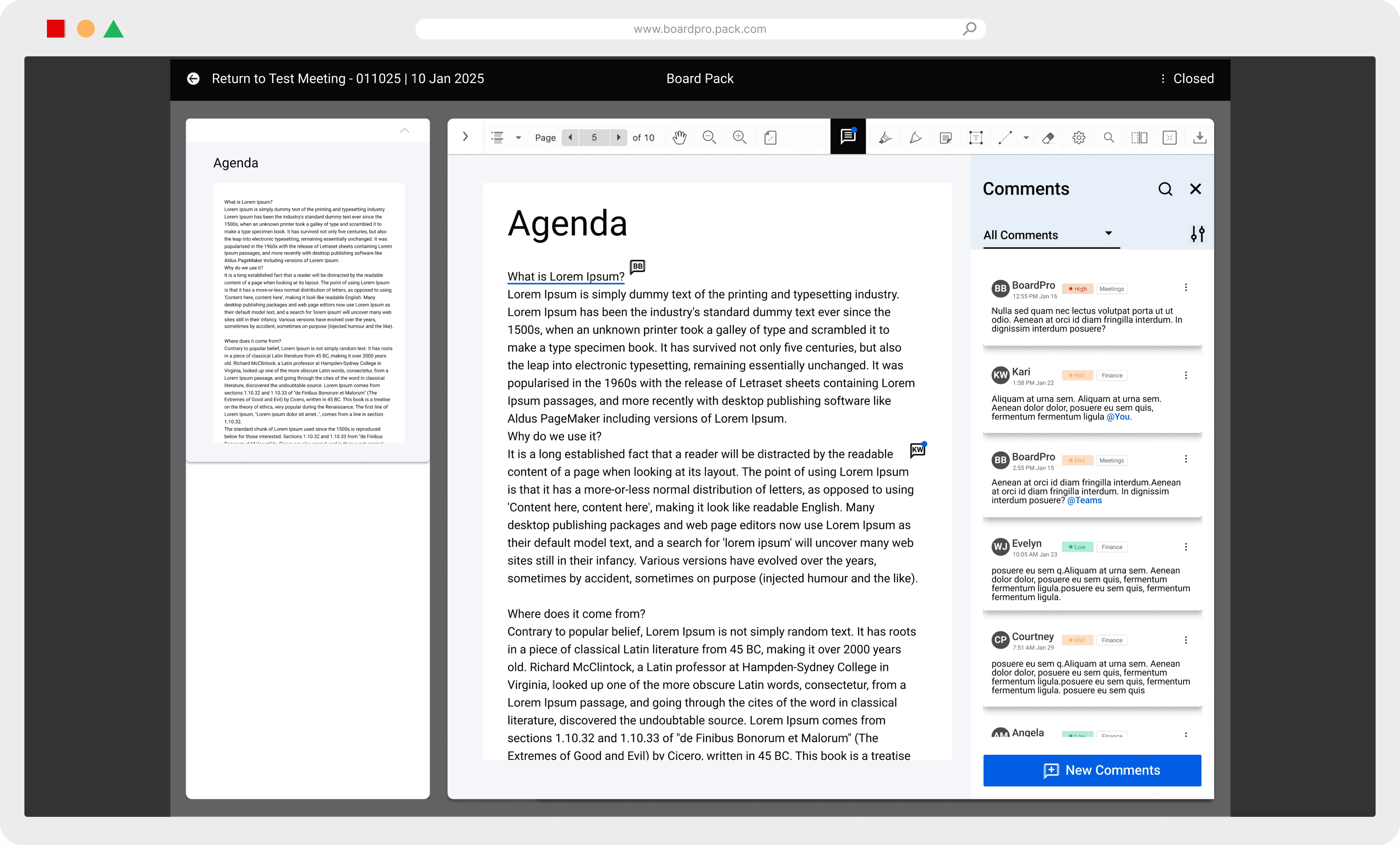
BoardPro comments feature overview hero mockup
Time
2 Months
Team Size
5 Members
My role
Product Designer
Tools
Figma, Illustrator, Miro

OVERVIEW

Background

BoardPro is a SaaS platform that streamlines governance through digital tools. Our project focused on enhancing the pre-meeting experience by introducing a commenting feature within board packs, allowing board members to engage with materials before discussions. Through in-depth research and analysis, we identified key pain points and explored how pre-meeting collaboration could improve decision-making. Given BoardPro's priorities, our work emphasized research-driven insights rather than UI design alone, ensuring the solution seamlessly integrated into existing workflows while enhancing engagement and efficiency.

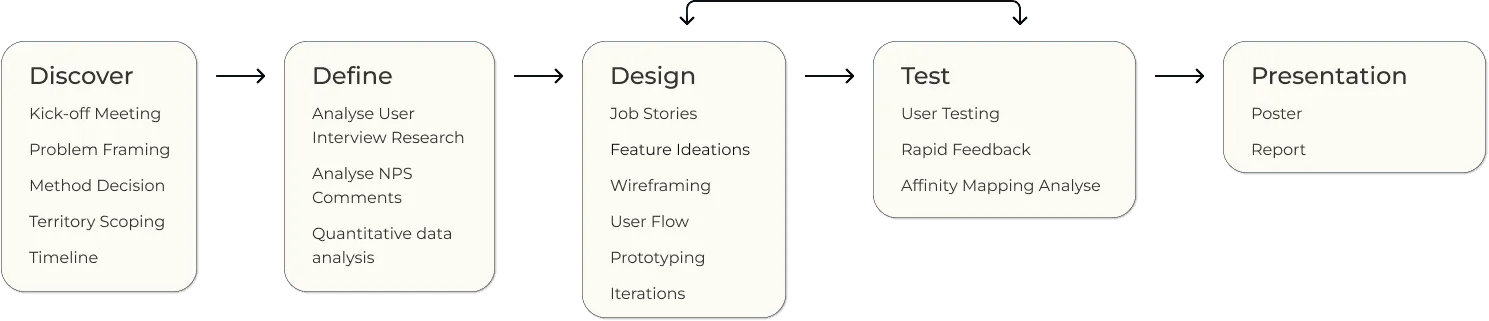
Design Process

BoardPro design process diagram

The Team & My Role

My Role

Lead

Low and Mid-fidelity UI design, Prototyping & iterations, Poster Design

Support

Research & Analysis, Usability Testing, Presenting & Report

Result

CHALLENGE & GOAL

Problem Reframing

BoardPro's existing platform is designed primarily for administrators, but board members—who make up 55-60% of users—receive less direct value. Additionally, the experience for single-board members (96% of users) is not as robust as it is for multi-board members (4%). The project aimed to enhance the board member experience, particularly for single-board members, by addressing usability gaps and improving engagement.

How might we

How can we use existing research as a starting point to improve user experiences and explore new features?

APPROACHES

This project was structured in two phases, allowing us to explore broader issues before refining our focus on the commenting feature.

Phase 1: Discover and Define

Identifying board member needs and evaluating broader collaboration challenges.

  • Conducted research on board member pain points.
  • Explored various solutions, including forums, chat features, and enhanced document interactions.
  • Assessed feasibility and user expectations.

Phase 2: Design Concepting

Refining the scope to focus on in-document commenting.

  • Based on research insights and stakeholder feedback, we determined that a commenting system would provide the most impact.
  • Iterated on design concepts, usability-tested prototypes, and validated key user interactions.

PHASE 1

Reanalyse Existing Researches

BoardPro tasked our team with reanalyse three existing research studies through a UX perspective, aiming to uncover new insights and opportunities for design improvements. The three research sources provided were:

We utilized Miro Board to systematically analyze each research study using the affinity mapping method. To ensure balanced workload distribution, each team member was responsible for categorizing five groups of data.

Miro board workspace used to reanalyse BoardPro research

* The image presented showcases our Miro Board workspace and analysis process; however, due to the extensive volume of data, only an overview is provided rather than a detailed classification.

Full Research Interpretation

Insight 1

Pre-meeting preparation is crucial for effective board meetings and governance.

Pre-meeting communication helps clarify issues but can compromise transparency if done privately.

Insight 2

Effective communication and collaboration is important both during and outside board meetings.

Communication with context aids in clarifying board pack content, reduces misunderstandings, and enhances effective governance.

Insight 3

Governance is demanding, and board members often rely on both online and offline tools to effectively carry out their responsibilities.

Some find BoardPro's existing UI challenging, leading to frustrations. Users highlight issues with accessibility, flexibility, and product training.

Insight 4

Research highlighted a few key aspects of the BoardPro product that could be improved in both functionality and performance.

Current users desire improvements in the product, such as a better onboarding experience and more accessible features.

PHASE 2

Low-Fidelity Development

I led the team in completing the Low-Fidelity and Mid-Fidelity in two parts: Angela focused on the onboarding experience, while Wenjing assisted me with the slider bar. My primary focus was designing the new note-taking feature with a commenting function, ensuring alignment with the established design system and iconography to maintain consistency and reinforce the brand identity. Finally, I designed the prototyping for all sections, ensuring a smooth and cohesive user experience.

Low-fidelity organisation settings screen
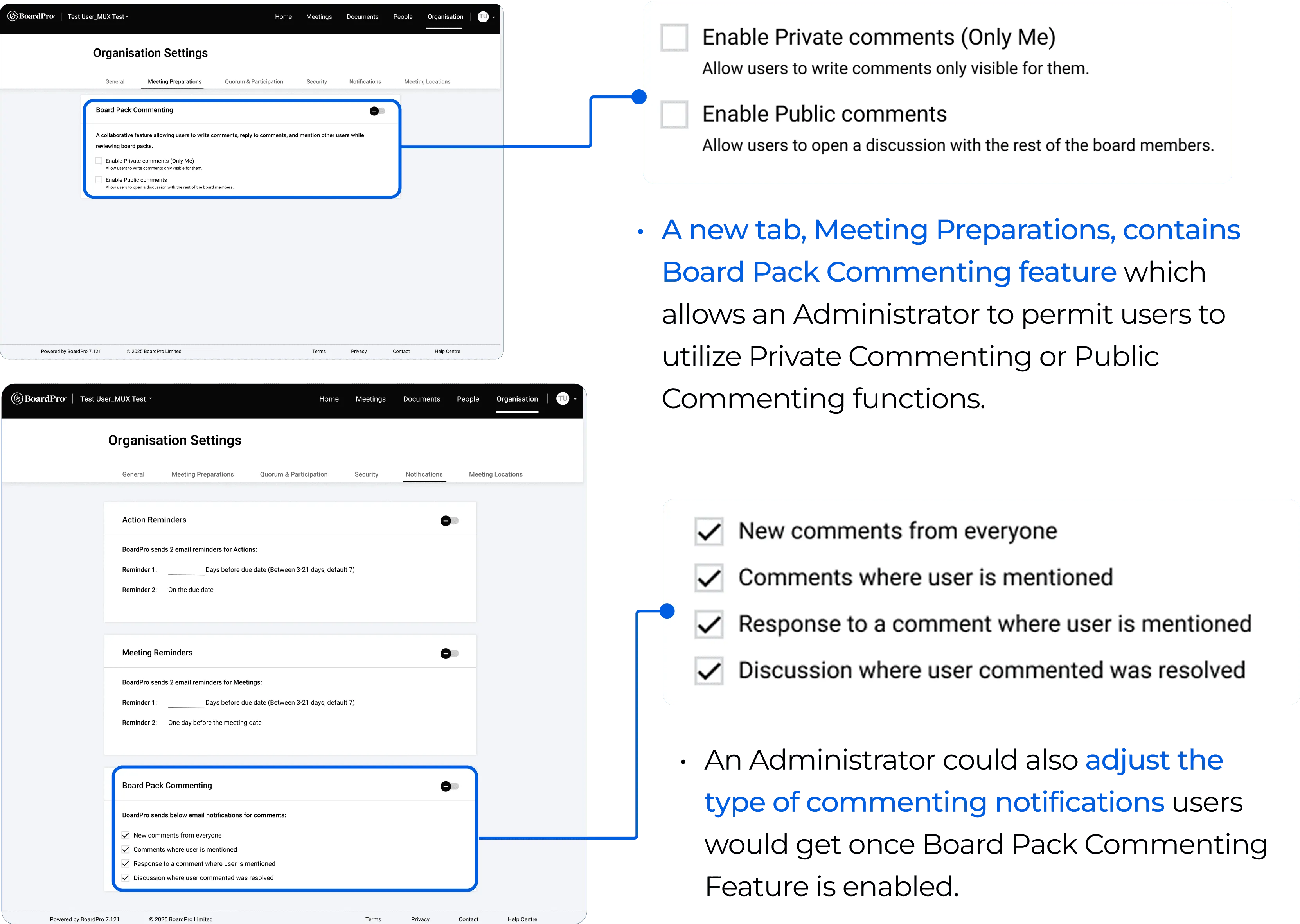
Organisation Settings - Administrator
Low-fidelity board member dashboard screen
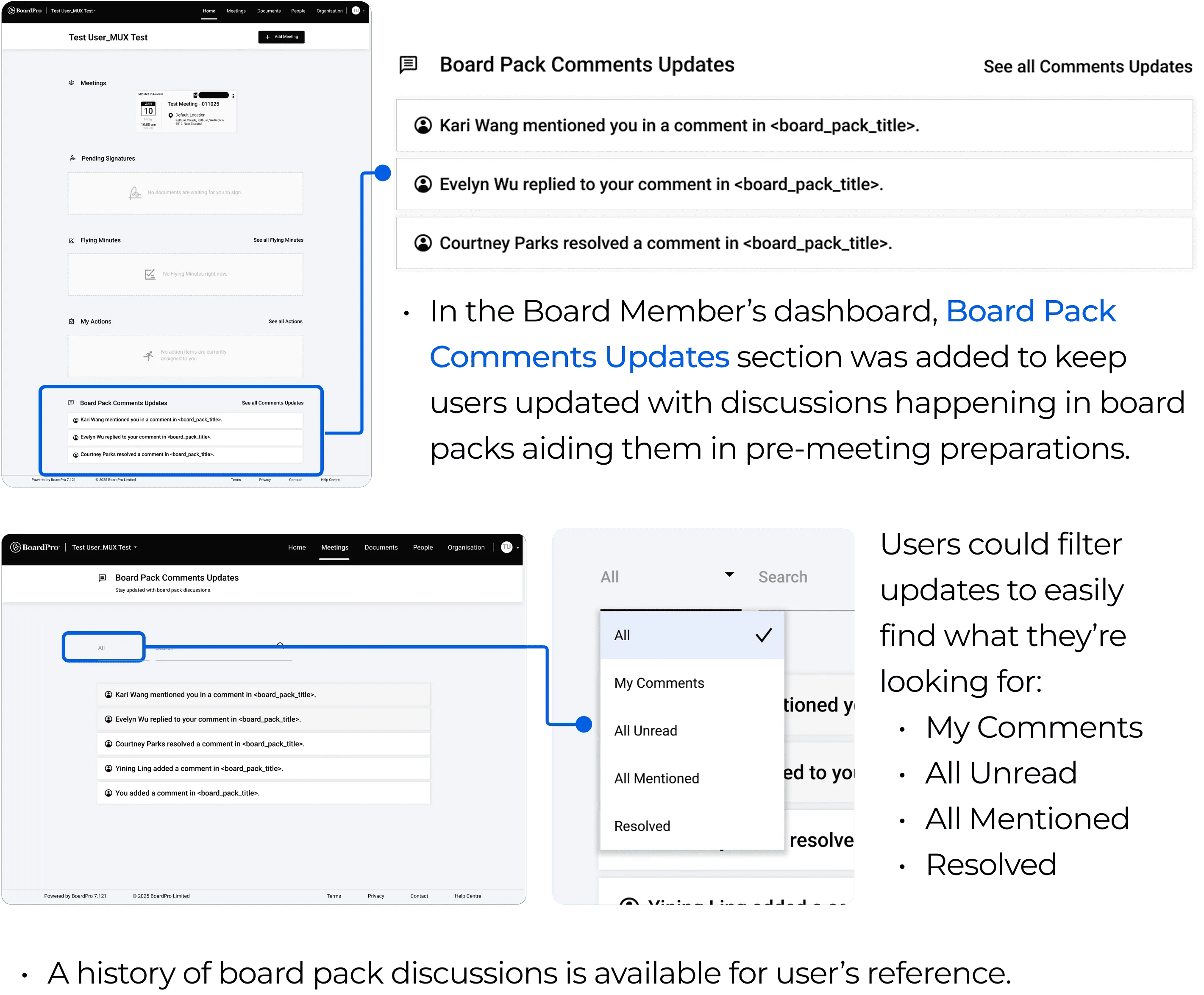
Dashboard - Board Member
Low-fidelity creating a comment flow
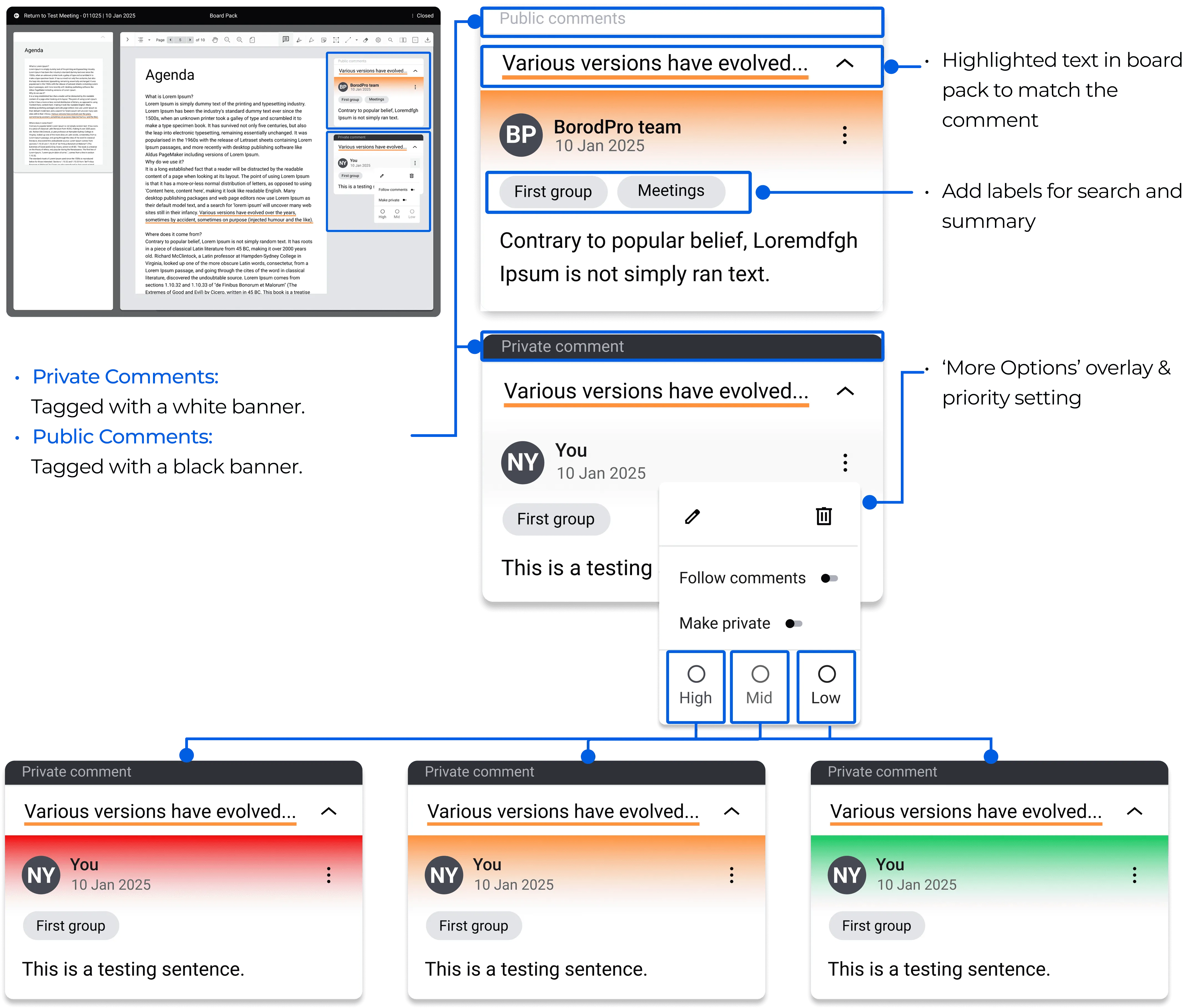
Creating a comment
Low-fidelity comment panel wireframe
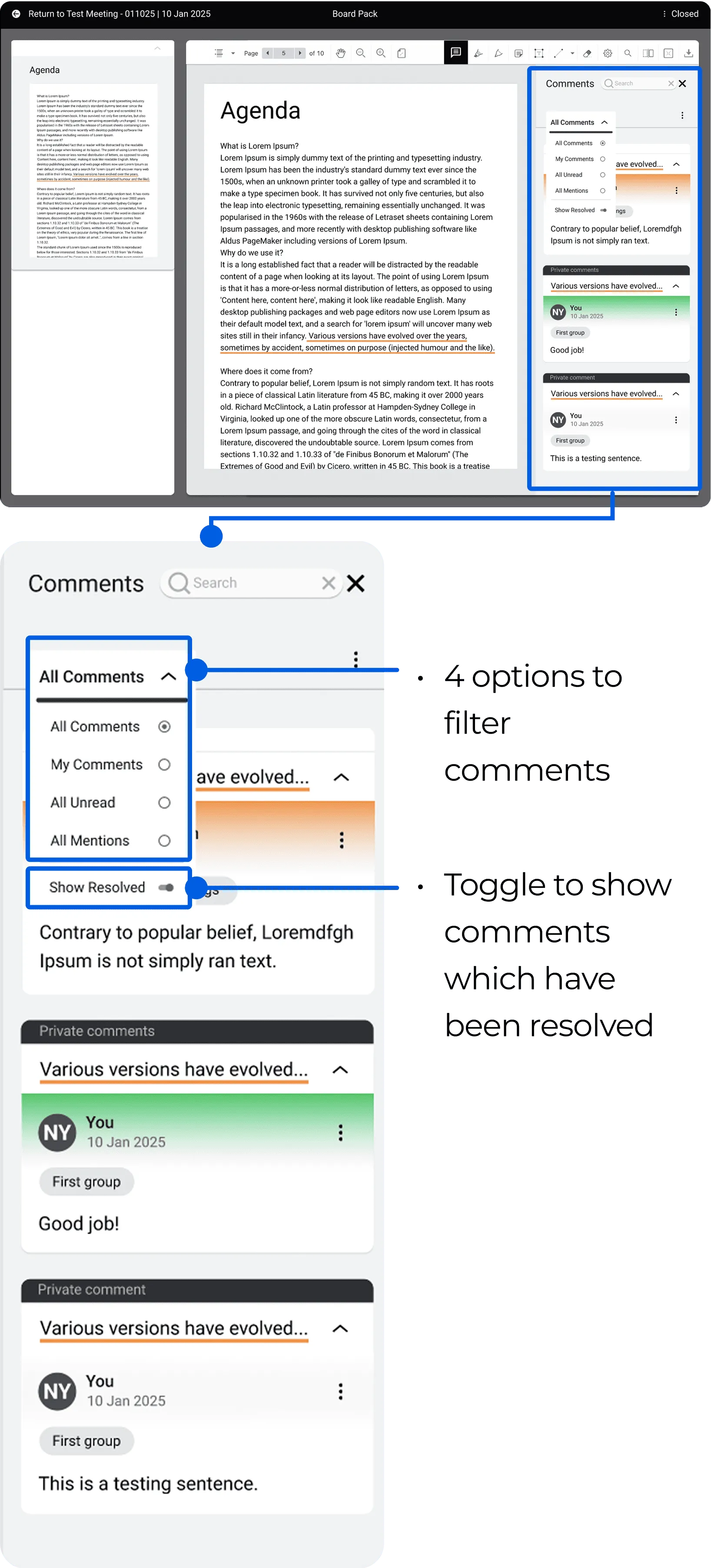
Comment panel

User Testing

We conducted usability testing with five participants to assess UI clarity, component interactions, and overall user flow. We took an agile approach, discussing key pain points and incorporating insights directly into prototype improvements.

Insights

Commenting

Several usability issues emerged, including challenges in creating comments, distinguishing between public and private comments, and resolving discussions.

Wording

Conventional terms: 'Notes' is more intuitive than 'private comments.'

Settings

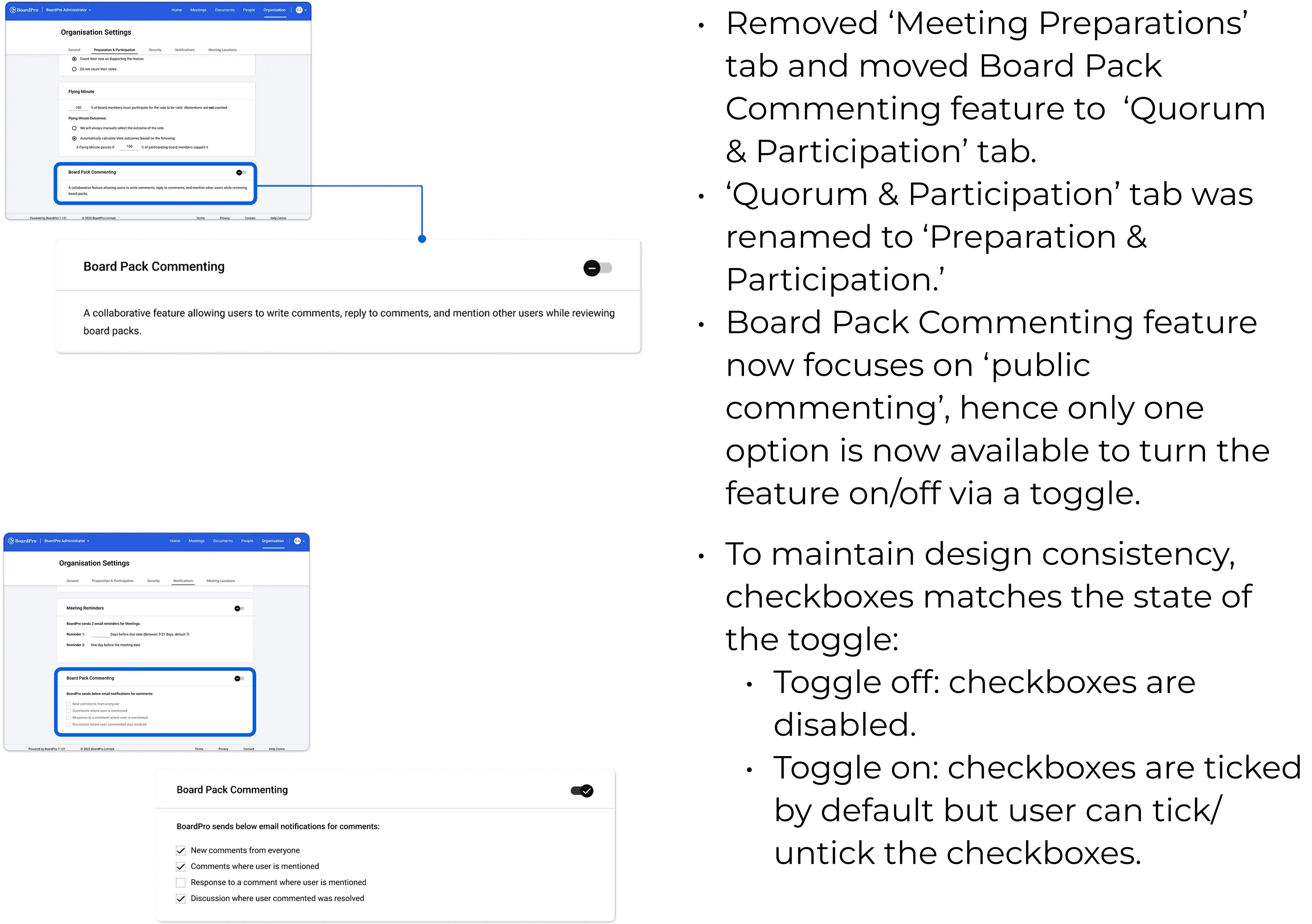
Only minor refinements were needed to improve the relationship between toggle and checkbox states.

Overall Intuitiveness

While the interface was clear at a surface level, improvements in the commenting functionality were necessary to enhance usability.

Mid-Fidelity Iterations

Mid-fidelity organisation settings iteration
Organisation Settings - Administrator
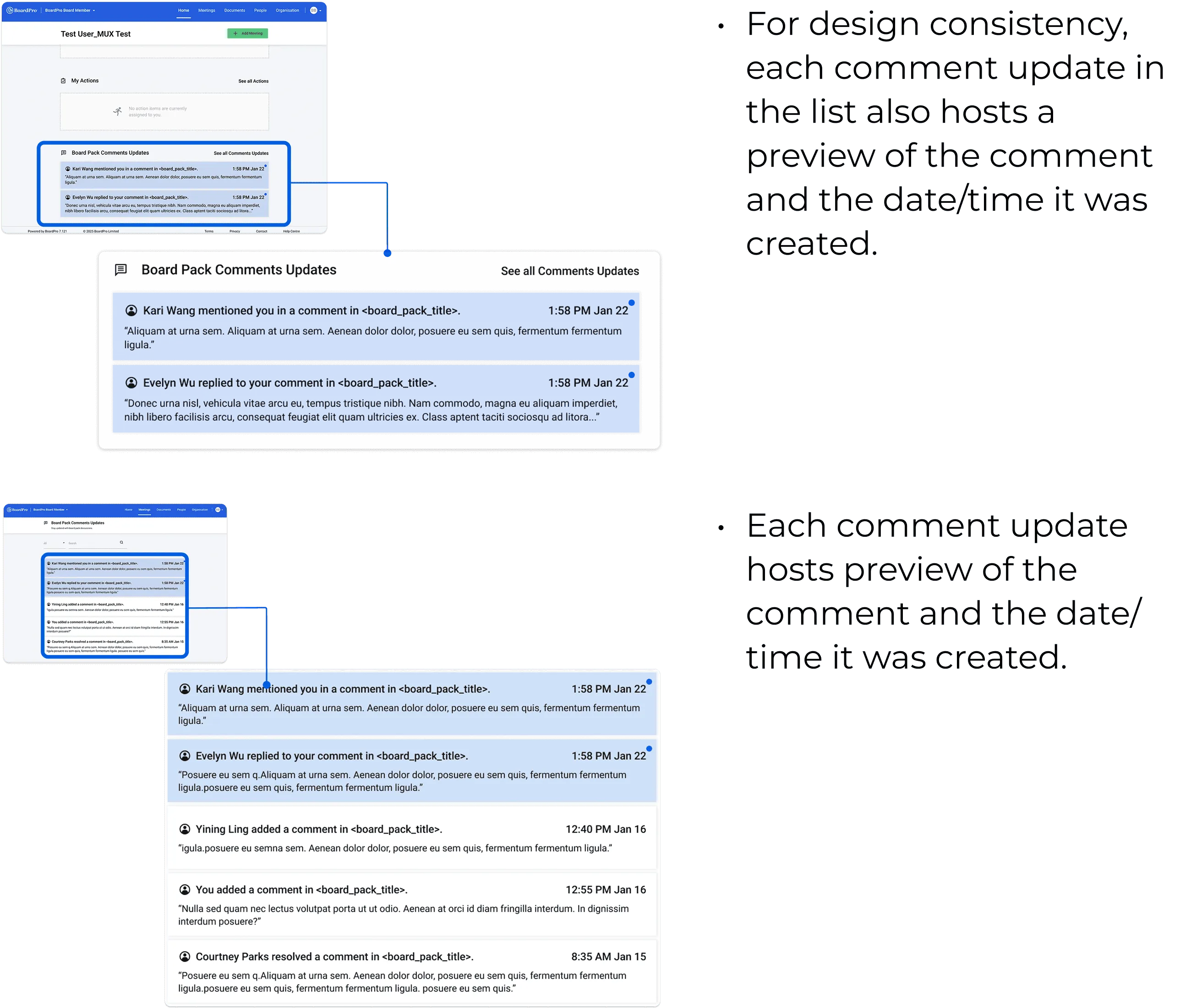
Mid-fidelity board member dashboard iteration
Dashboard - Board Member

Deliverables

Iterations & High-Fidelity Prototype

Commenting in Board Pack

High-fidelity highlight to create new comment screen

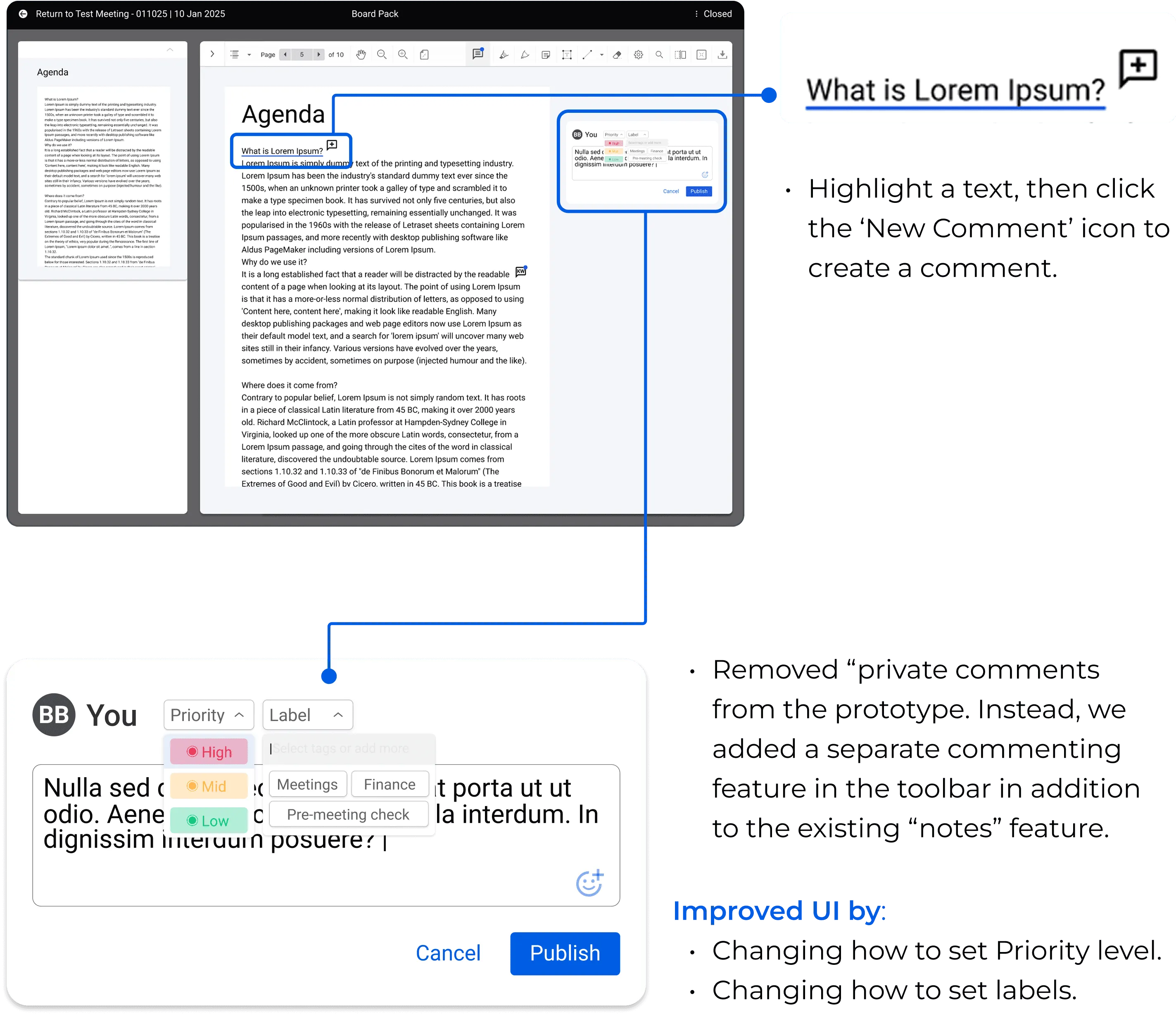
Highlight to Create New Comment

  • Highlight a text, then click the "New Comment" icon to create a comment.
  • Removed "private comments" from the prototype. Instead, we added a separate commenting feature in the toolbar in addition to the existing "notes" feature.
  • Improved UI by changing how to set priority level and labels.
High-fidelity published comments screen

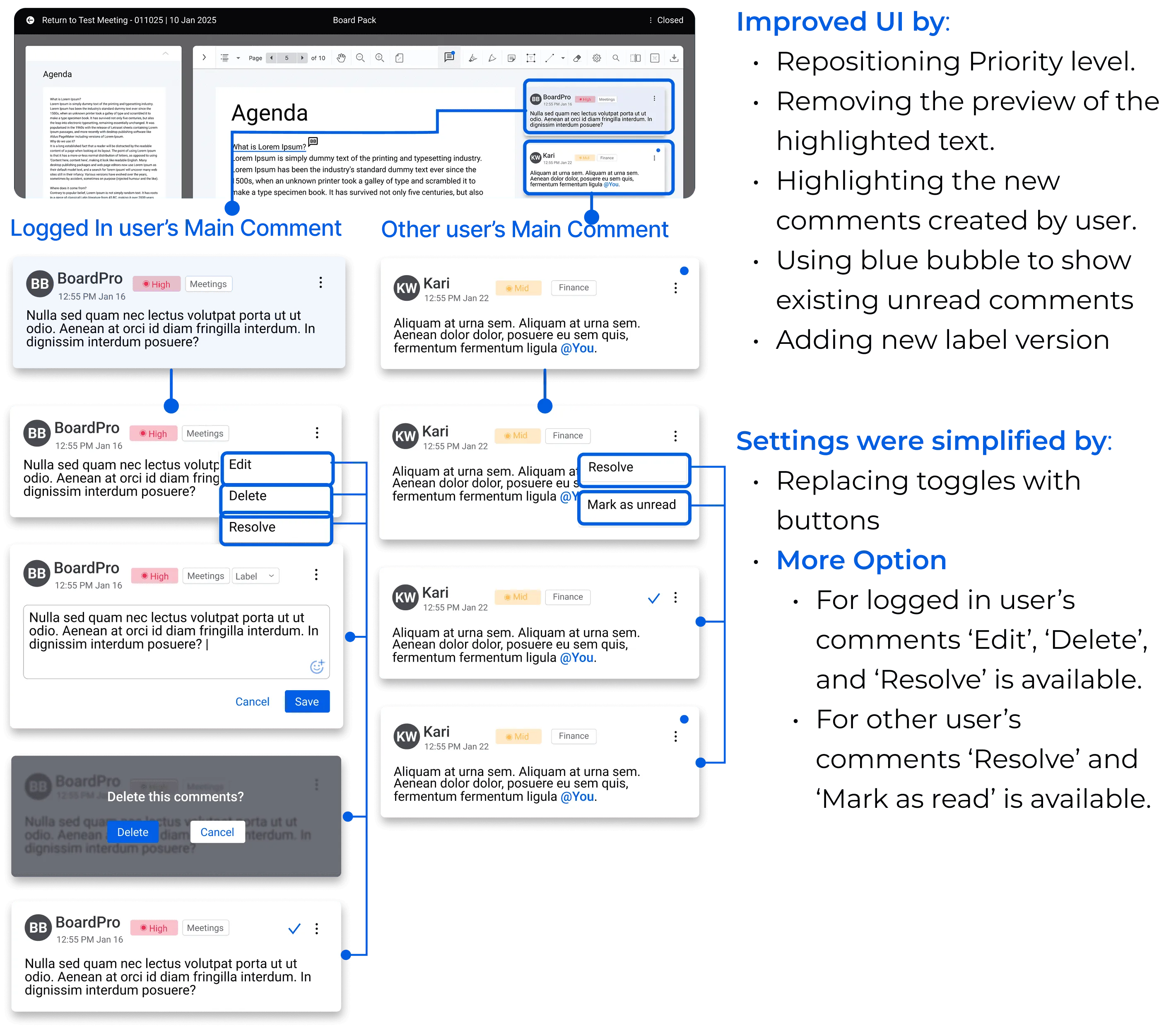
Published Comments

  • Improved UI by repositioning priority level, removing the preview of the highlighted text, highlighting new comments created by user, using blue bubble to show existing unread comments, and adding a new label version.
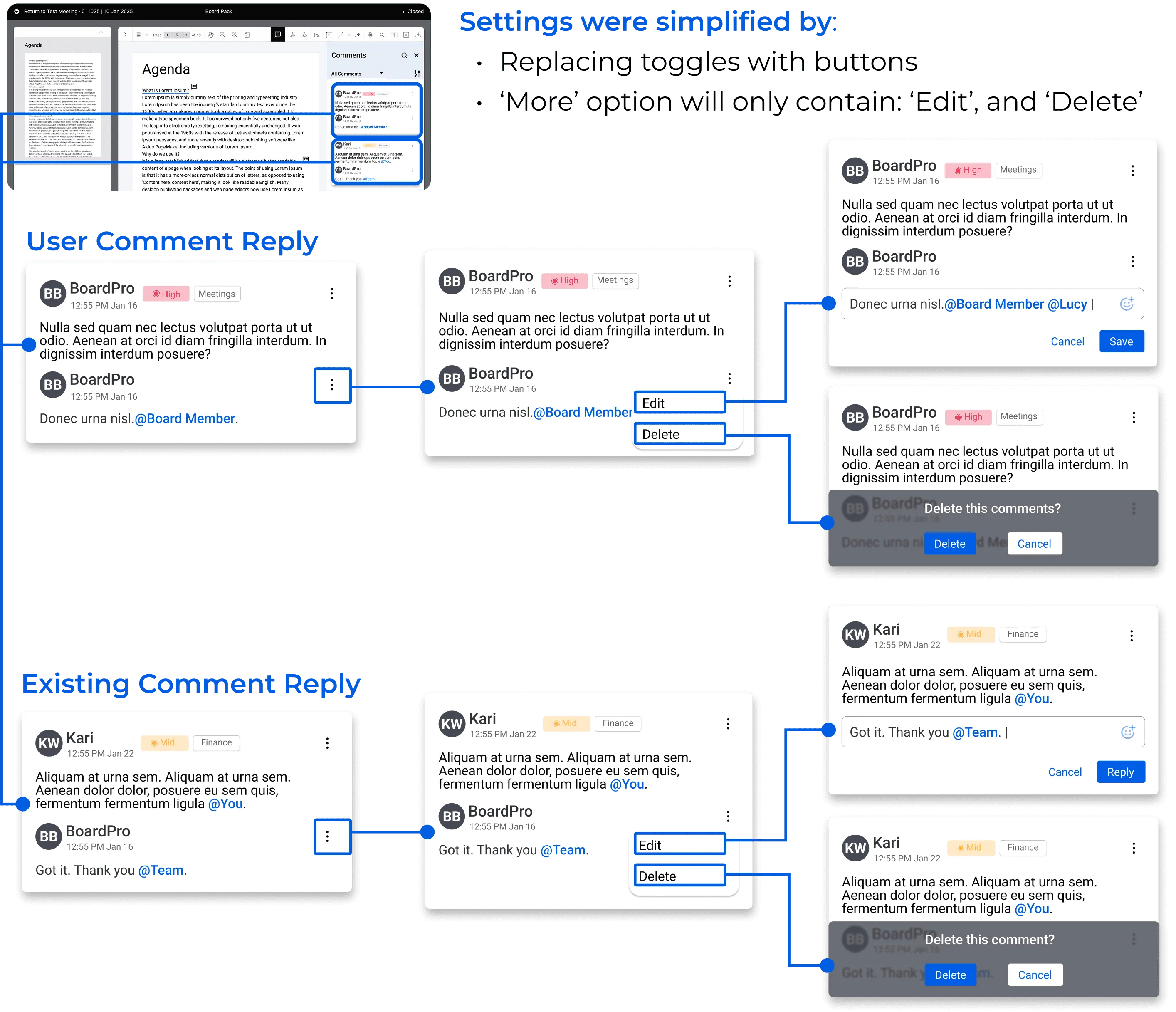
  • Settings were simplified by replacing toggles with buttons.
  • More Option: For logged-in user's comments "Edit", "Delete", and "Resolve" is available. For other user's comments "Resolve" and "Mark as read" is available.
High-fidelity replies interaction screen

Replies

  • Settings were simplified by replacing toggles with buttons.
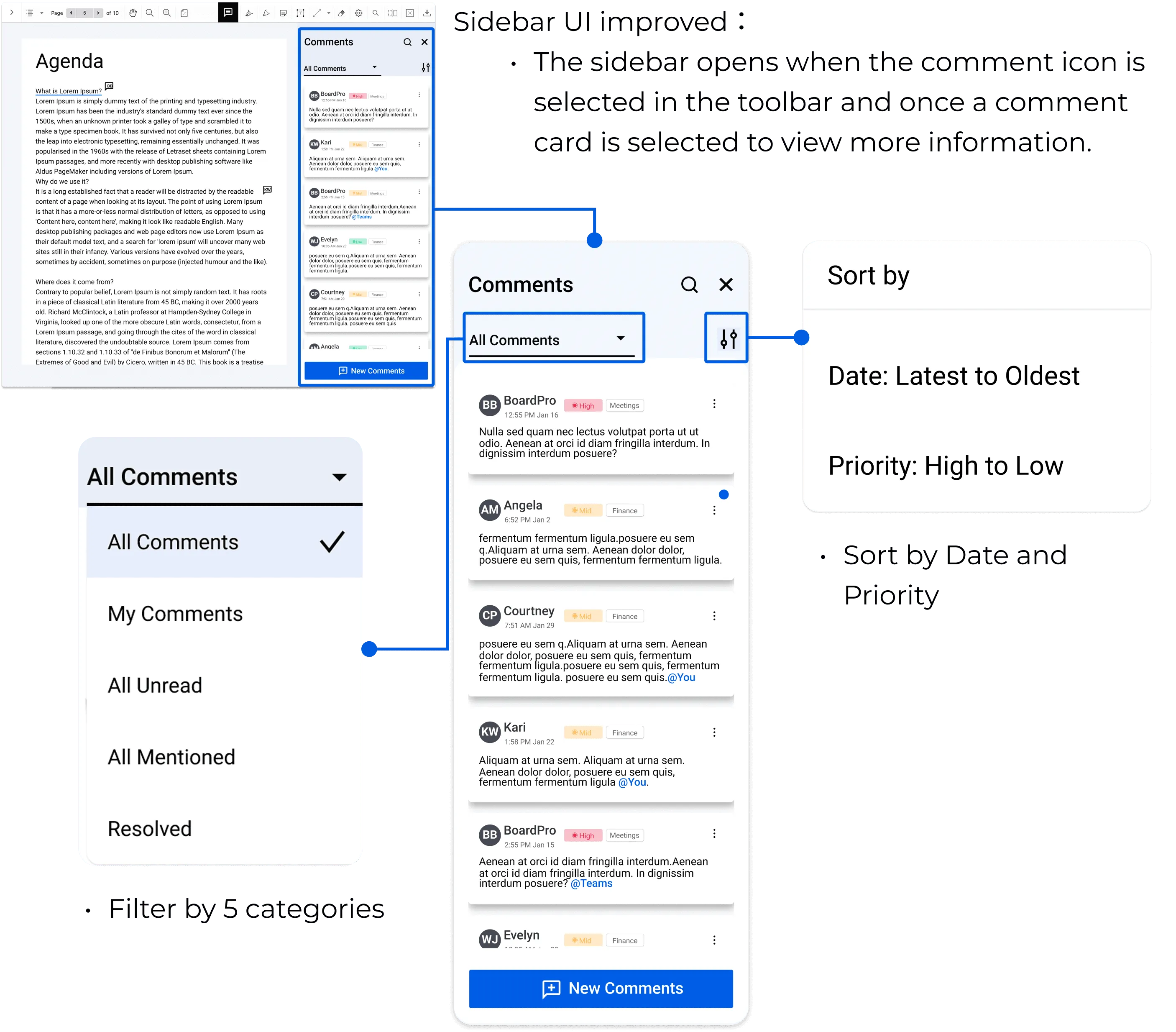
High-fidelity comment panel screen

Comment Panel

  • Sidebar UI improved to support the comment workflow.
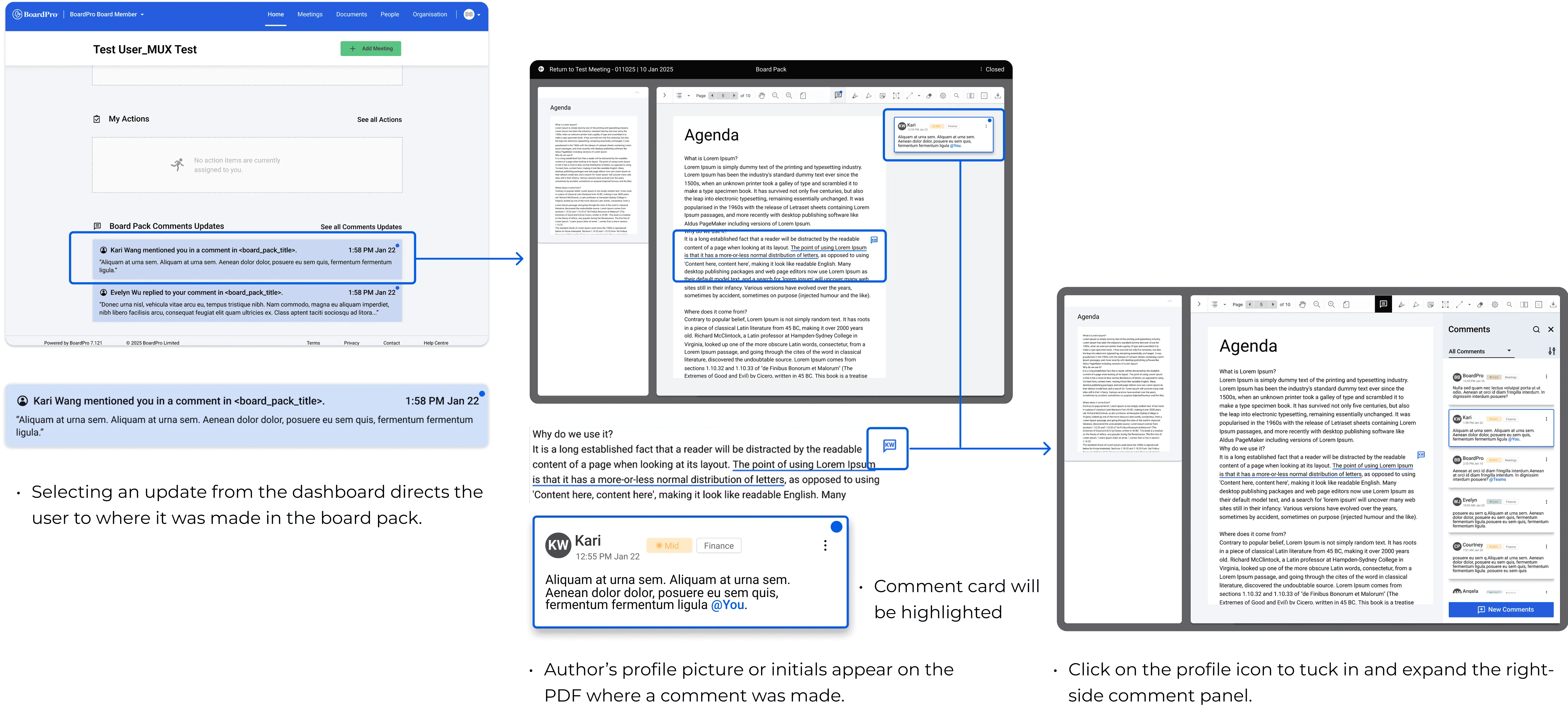
  • Selecting an upstate from the dashboard directs the user to where it was made in the board pack.
  • Comment card will be highlighted.
  • Author's profile picture or initials appear on the PDF where a comment was made.
  • Click on the profile icon to tuck in and expand the right-side comment panel.
High-fidelity dashboard to board pack flow

From Dashboard to Board Pack

  • Selecting an update from the dashboard directs the user to where it was made in the board pack.
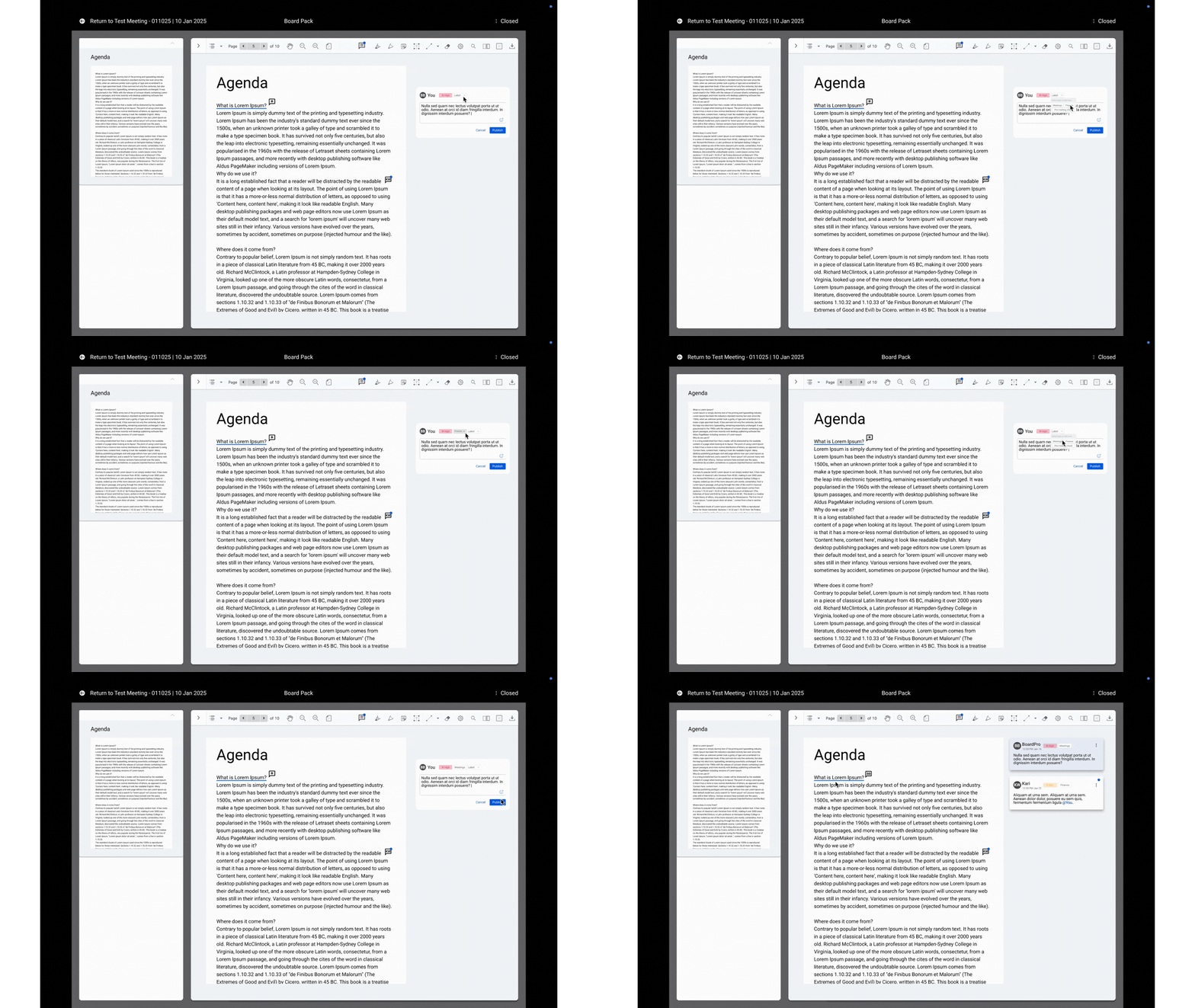
Creat C gif
Add label
Jump to others comments
Edit personal comments
Reply personal comments
Reply others comments
Resolve others comments
Filter1
Animated BoardPro filter interaction demo
Filter2

FINAL DELIVERABLES

Final Deliverables

Final BoardPro board pack comments interface

FUTURE EXPLORATION

  • Suggested further usability testing with real BoardPro users.
  • Recommended dashboard redesign for better visibility of comment updates.
  • Proposed in-product notifications to reduce reliance on email alerts.

POSTER

Poster

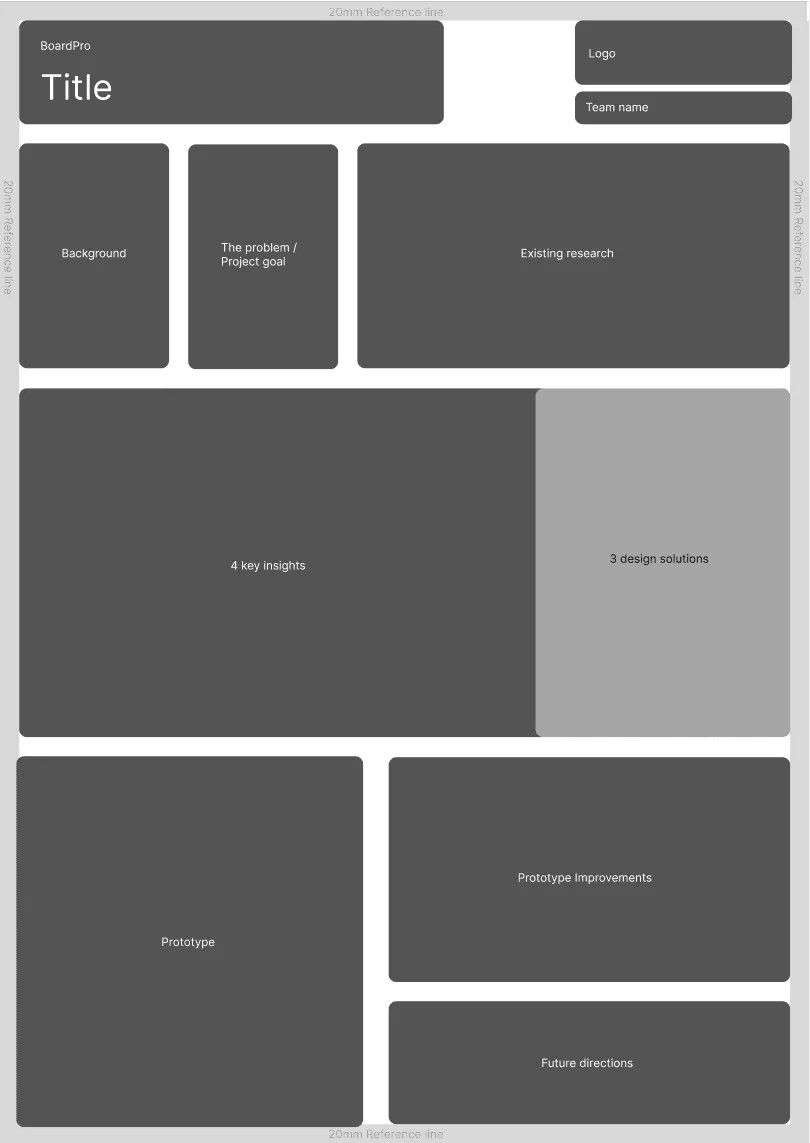
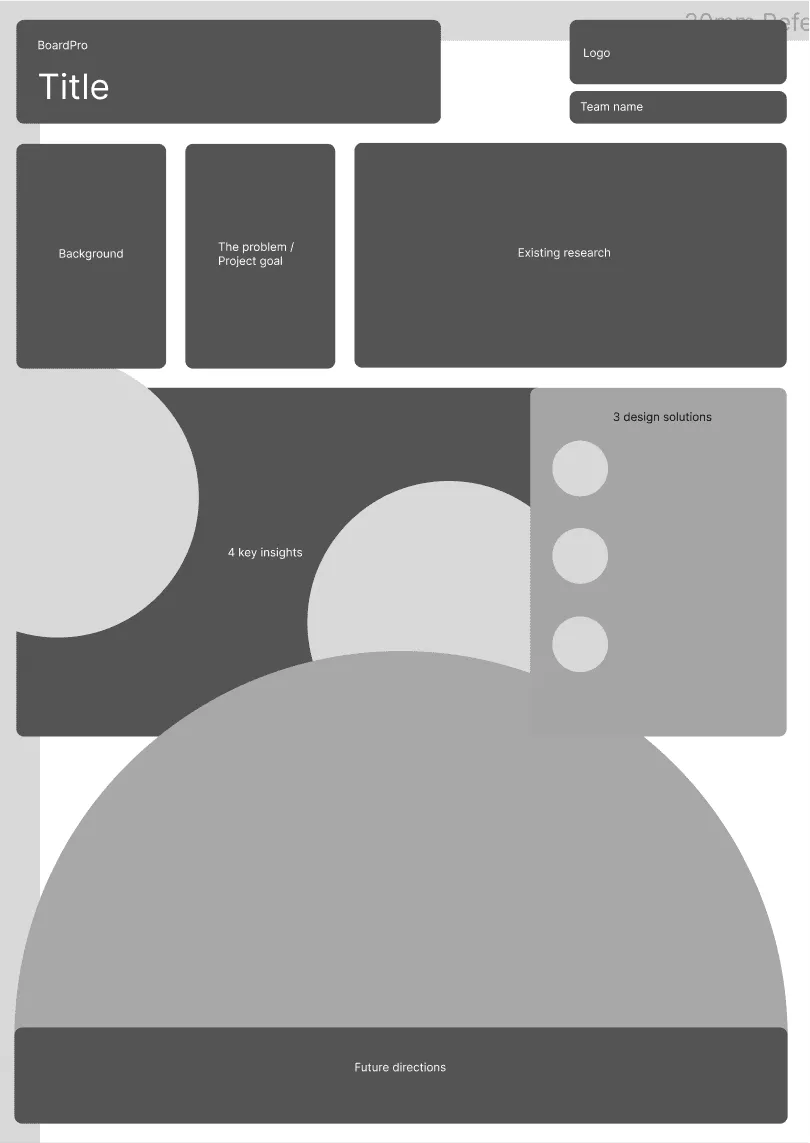
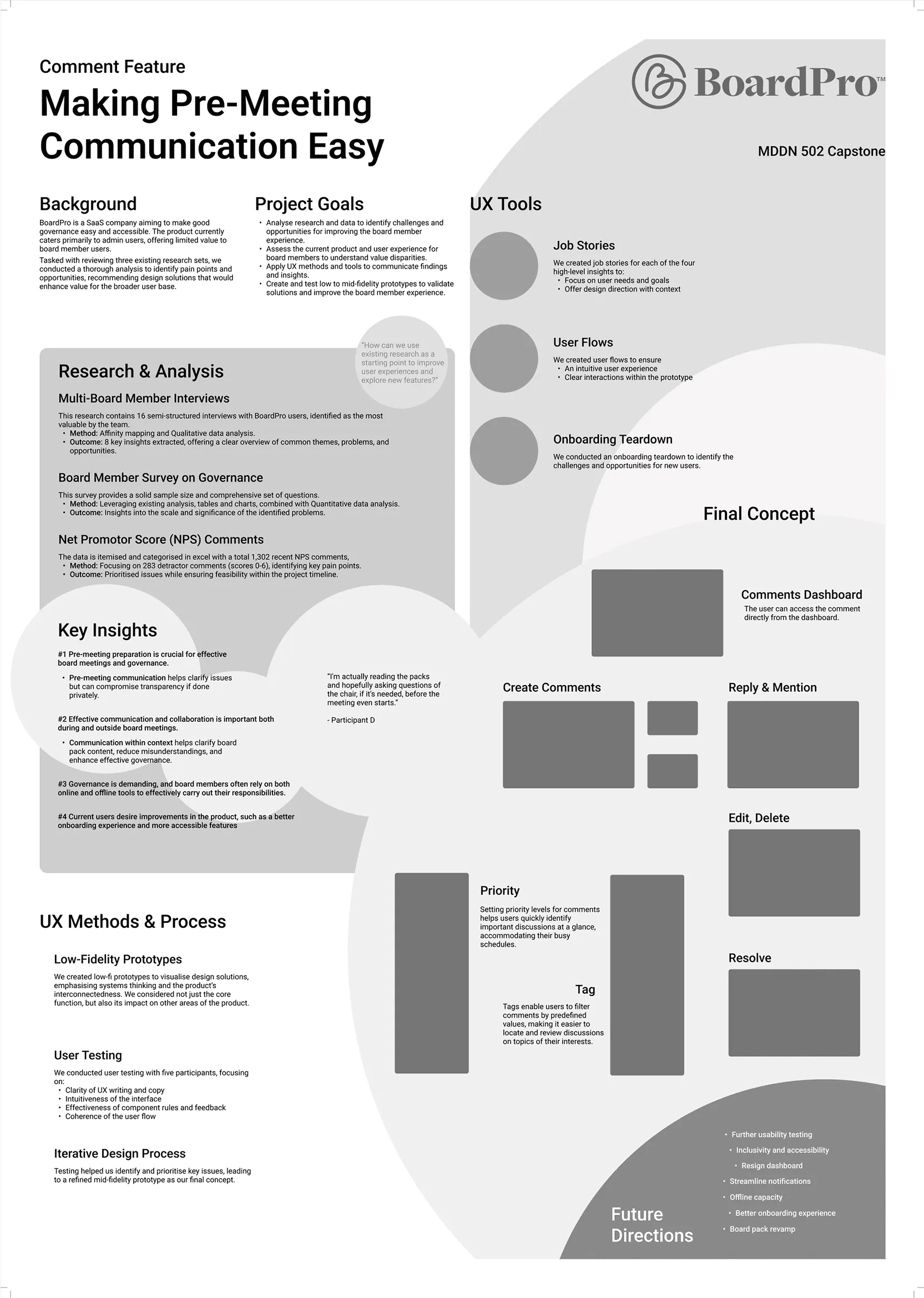
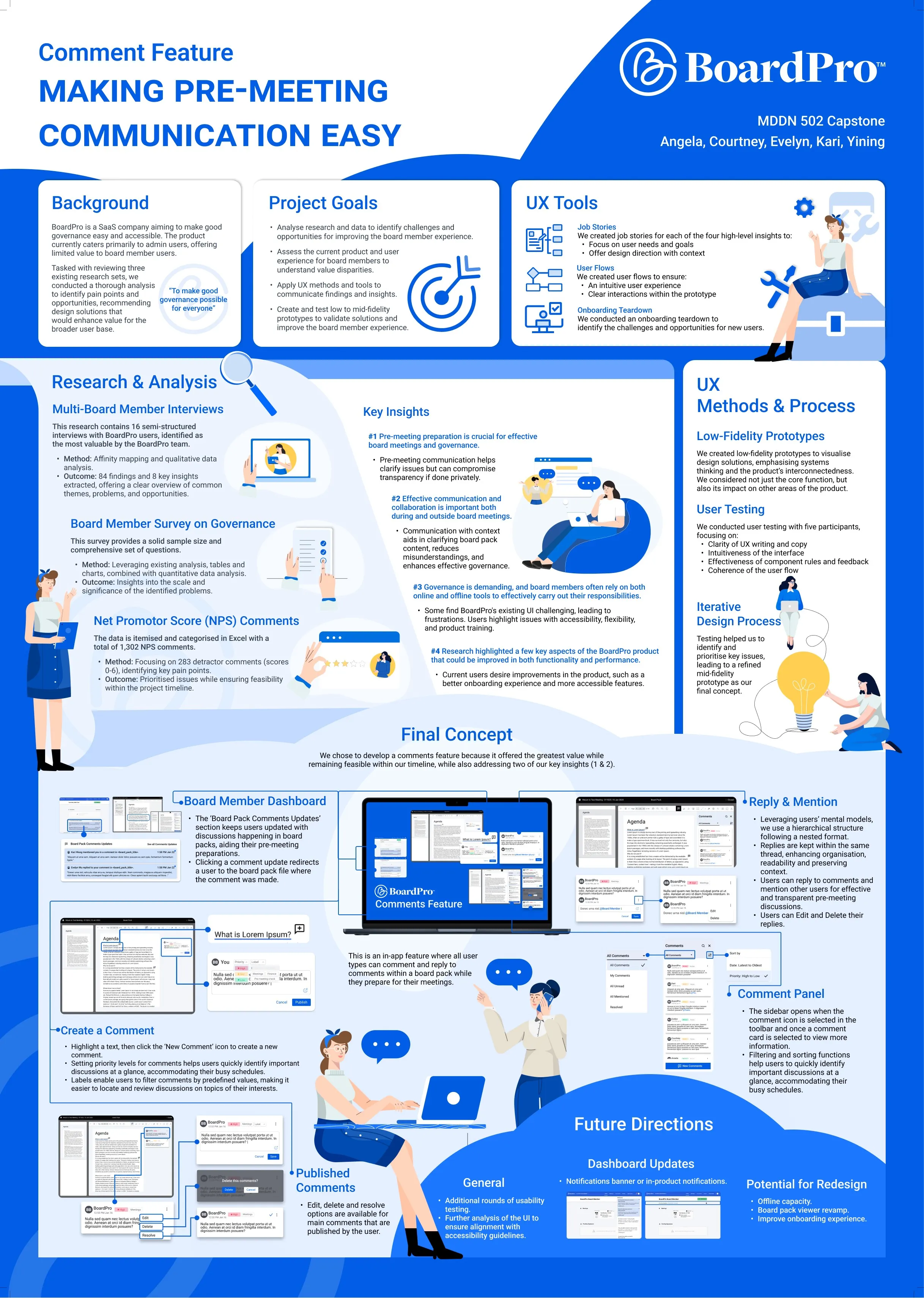
As part of the BoardPro project, I designed a comprehensive UX poster to visually communicate our research findings, design process, and final concept. My primary responsibilities included:

  1. Overall Layout & Structure
  2. Visual Design
  3. Illustrations & Graphics

Concept

BoardPro poster concept wireframe

Low-Fidelity

BoardPro low-fidelity poster draft

Final Deliverables

BoardPro final poster layout preview

Final Deliverables

BoardPro final UX poster

To ensure balance between research insights and the final prototype, we dedicated substantial space to both, using a layout that emphasizes clarity. The circular design elements reflect BoardPro's brand identity, reinforcing visual consistency.

Additionally, the brand's color palette was incorporated, alongside a modern, tech-oriented graphic style, ensuring alignment with the company's professional aesthetic.